
Plans and payments
Upgrade your plan
Updated October 30, 2026
You pay once for a plan, and the plans linked to it. Only the plan's owner can upgrade it.
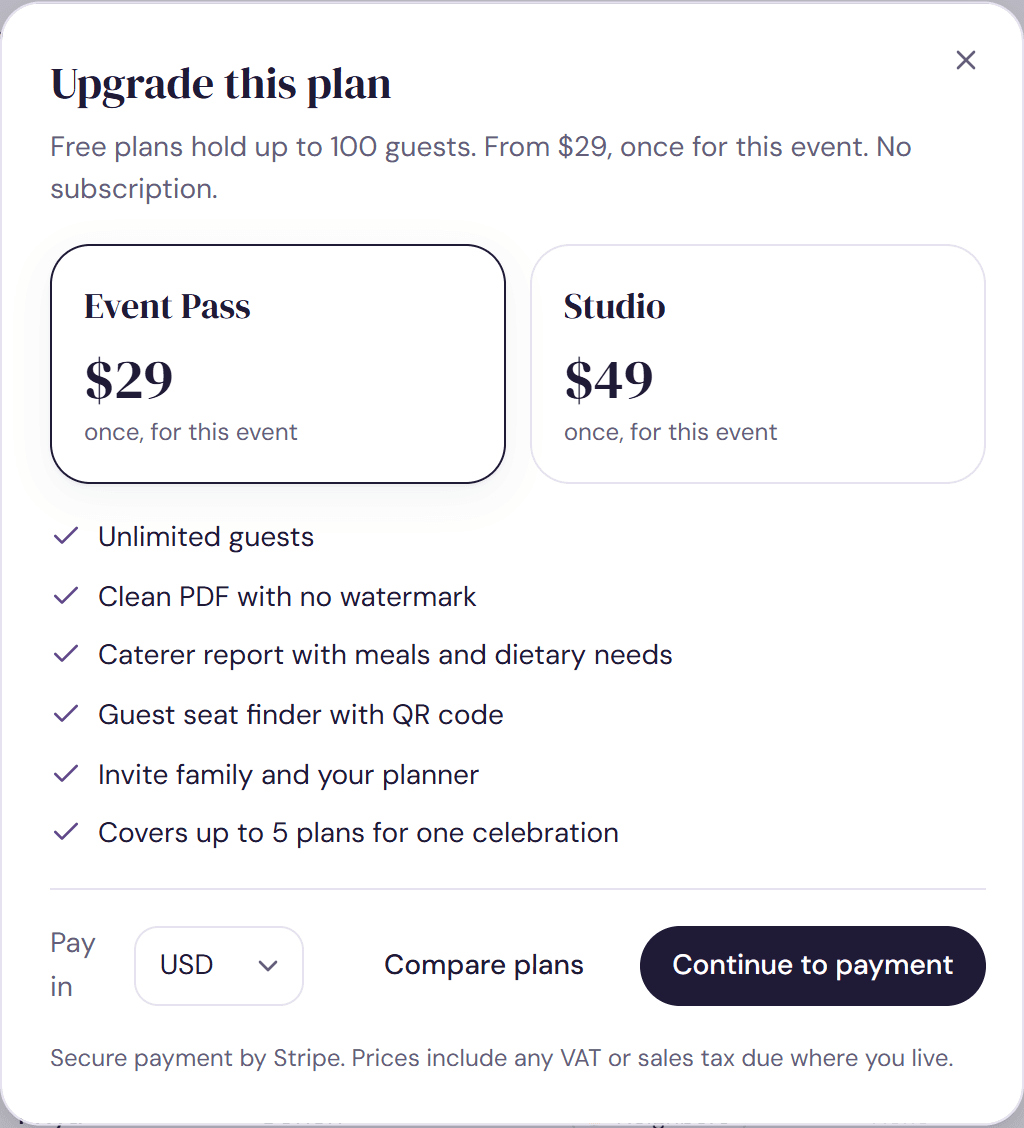
- Open your plan. On a wide screen, click Free plan in the top bar. Any locked feature opens the same window, such as Unlock the seat finder on the Share step or a locked Download PDF on the Design step.
- Choose the Event Pass or Studio. The list underneath shows what your choice includes.
- Check the currency next to Pay in, then click Continue to payment.
- Pay on Stripe's secure page. If you have a promotion code, you can enter it there.
- You come back to your plan, where a message confirms the upgrade.
If your plan isn't saved to an account
We ask you to add your email or Google account first, so the upgrade and your receipt are tied to you. Your plan stays exactly as it is. Then upgrade as above. See Save your plan.
After you pay
- The Event Pass brings you back to the Share step, and Studio to the Design step.
- Every plan linked to this one is upgraded too.
- A receipt goes to the email on your account.
- If you leave the payment page without paying, nothing is charged. You can upgrade whenever you're ready.
Upgrades usually unlock within a few seconds. If yours hasn't, see I paid but my plan didn't unlock.
Was this helpful?