
Planning together
Invite people to your plan
Updated October 30, 2026
Planning is easier together. Only the plan's owner can invite people, and the plan needs to be saved to an account first, so everyone knows who invited them.
- Click Share at the top of the editor, or open the Share step.
- Under People, enter the person's email address.
- Choose what they can do: Can edit, Can suggest or Can view.
- Click Invite.
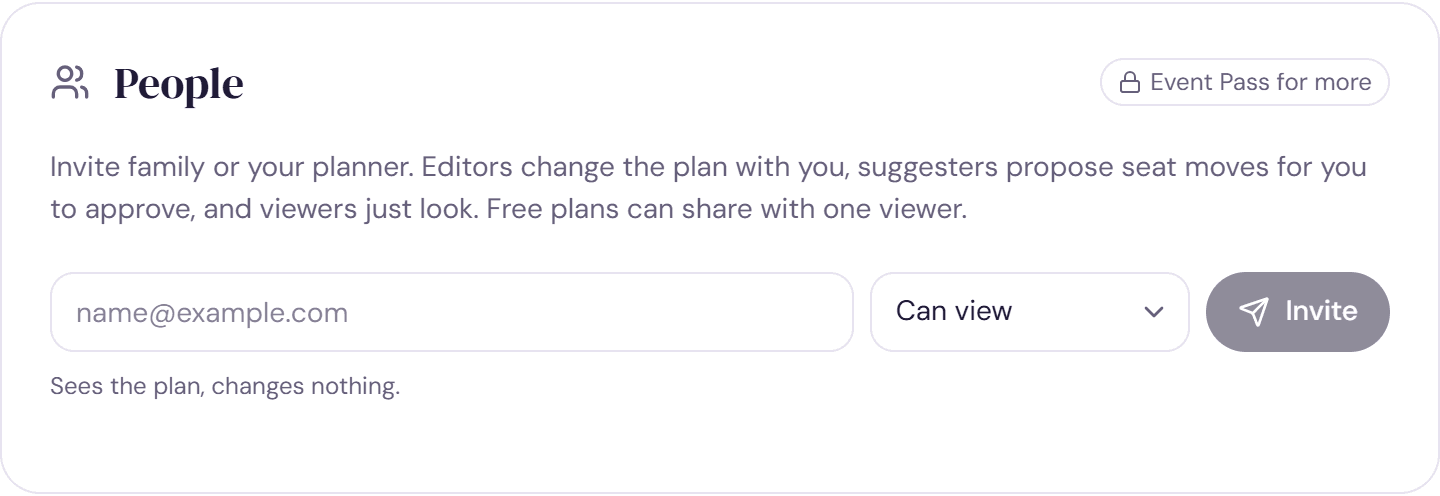
We email them an invitation and show you the link too, so you can send it another way if you prefer. Each link works once and lasts 14 days. When they accept, we email you to say they've joined.
Free plans and the Event Pass
A free plan can share with one viewer, and an invitation that's still waiting counts as that one. The Event Pass lets you invite as many people as you like, in any role. On a free plan, Can edit and Can suggest are marked as Event Pass roles, and Invite more people shows you the upgrade.
Manage invitations
- Invitations that are still waiting are listed under People, with when they were sent. Click Resend to send a fresh link, or Cancel to withdraw it.
- An invitation that wasn't used in time shows Invitation expired. Click Resend to send a new one.
- Inviting the same address again replaces the earlier invitation.
- Can't find the email? Ask them to check their spam folder, or copy the link and send it yourself.
Change or remove access
Once someone joins, change what they can do with the menu next to their name, or take them off the plan with the remove button beside it. Either change takes effect straight away. See Choose who can edit, suggest or view.
Try it on a sample planThe demo opens the Share step with guests already added. Nothing you do there is saved.
Open the demoWas this helpful?