
Guests
Paste your guest list
Updated October 30, 2026
If your list lives in a note, an email or a document, paste it in. Each line is one invitation, and the preview shows exactly what you'll get before anything is added.
- Open Guests and click Paste a list. If you already have guests, click Import; it opens on the Paste a list tab.
- Paste your list, one invitation per line.
- Check the preview under the box: how many guests, how many households are kept together and how many groups.
- Click the button at the bottom, such as Add 48 guests.
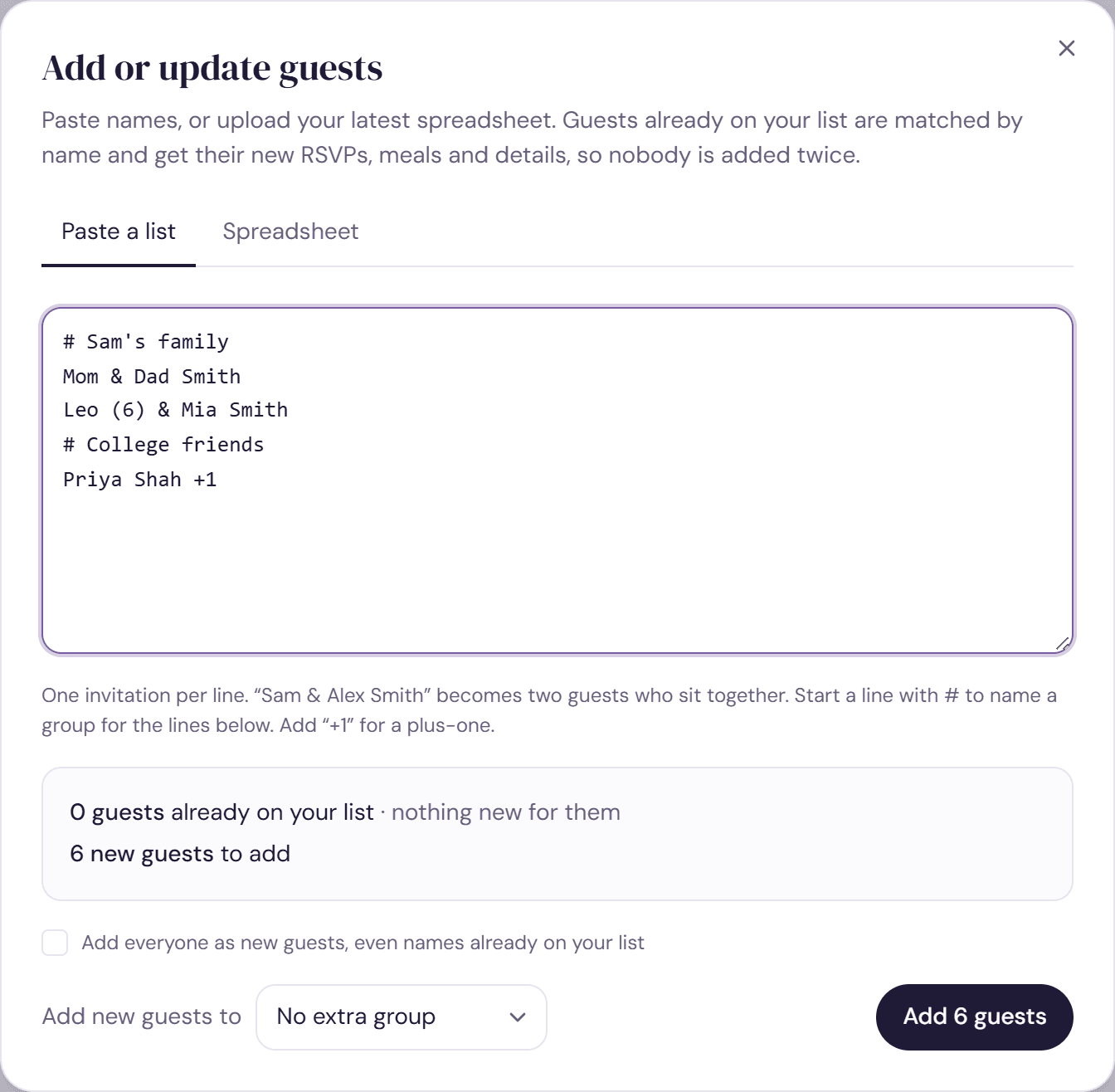
How each line is read
- “Priya Shah” is one guest.
- “Sam & Alex Smith” is two guests in one household, both Smiths. Names can be joined with &, and, +, a comma, a semicolon or a slash.
- “Priya Shah +1” adds Priya and a plus-one called “Priya's guest” until you name them.
- “Dr Priya Patel” keeps the title for her cards only.
- “Leo (6) & Mia Smith” marks Leo as a child. Brackets can also hold VIP, an access need such as wheelchair, or a dietary need such as veg, vegan, gf or halal. Anything else becomes a note.
- Bullets and numbers at the start of a line are ignored, and so are blank lines.
Groups from headings
Start a line with # to name a group, such as “# Sam's family”. Every line below it joins that group until the next heading. A short line ending in a colon, like “College friends:”, works too. A heading that matches a group you already have adds to it.
Pasting when you already have guests
Names already on your list are matched and updated rather than added twice, and only new names are added. A paste never removes anyone. To add everyone as new guests anyway, tick Add everyone as new guests, even names already on your list. More in Update your guest list.
On a free plan, a paste that would take you past 100 guests adds the first ones and tells you how many were left out.
Try it on a sample planThe demo opens the Guests step with guests already added. Nothing you do there is saved.
Open the demoWas this helpful?