
Seating
Compare three arrangements
Updated October 30, 2026
Each run of the seating starts from a different place, so two good arrangements can look quite different. Compare 3 makes three at once, so you can choose by eye.
- Open Seat and click Compare 3 in the toolbar. On smaller screens it's the icon next to Seat everyone.
- Wait a moment while three arrangements are found. Stop ends early with the ones finished so far.
- Compare Option A, Option B and Option C.
- Click Use option A (or B, or C) on the one you like.
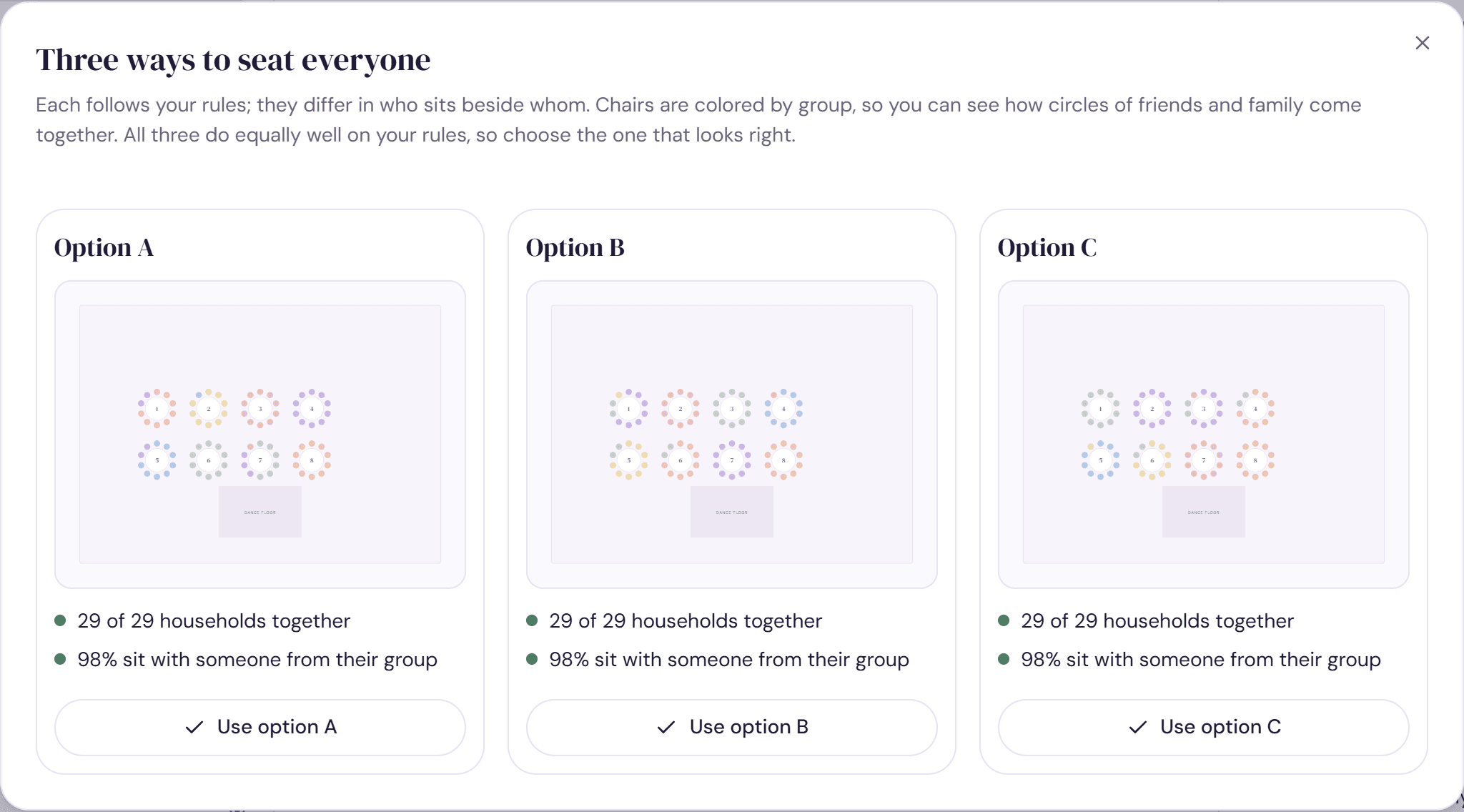
Reading the options
Each option shows a small plan with chairs colored by group, so you can see circles of friends and family come together, and up to four lines:
- How many of your musts are met, such as “Every must met (3)”
- How many households sit together
- The share of guests sitting with someone from their group
- How many guests are without a seat, if any
“Our pick” marks the option that meets the most musts, then seats the most guests, then keeps the most households and groups together. When all three do equally well there's no pick, so choose the one that looks right.
What changed
The option you choose replaces the seats on your plan, apart from locked ones. A summary then says how many guests were seated, how many changed table and how many kept theirs, and whether every must is met. Click Undo on the summary to go back.
Try it on a sample planThe demo opens the Seat step with guests already added. Nothing you do there is saved.
Open the demoWas this helpful?