
Seating
Seat everyone automatically
Updated October 30, 2026
Seat everyone places every guest who is coming in one go, right in your browser. Guests who have declined aren't seated.
- Add your guests in Guests and your tables in Room.
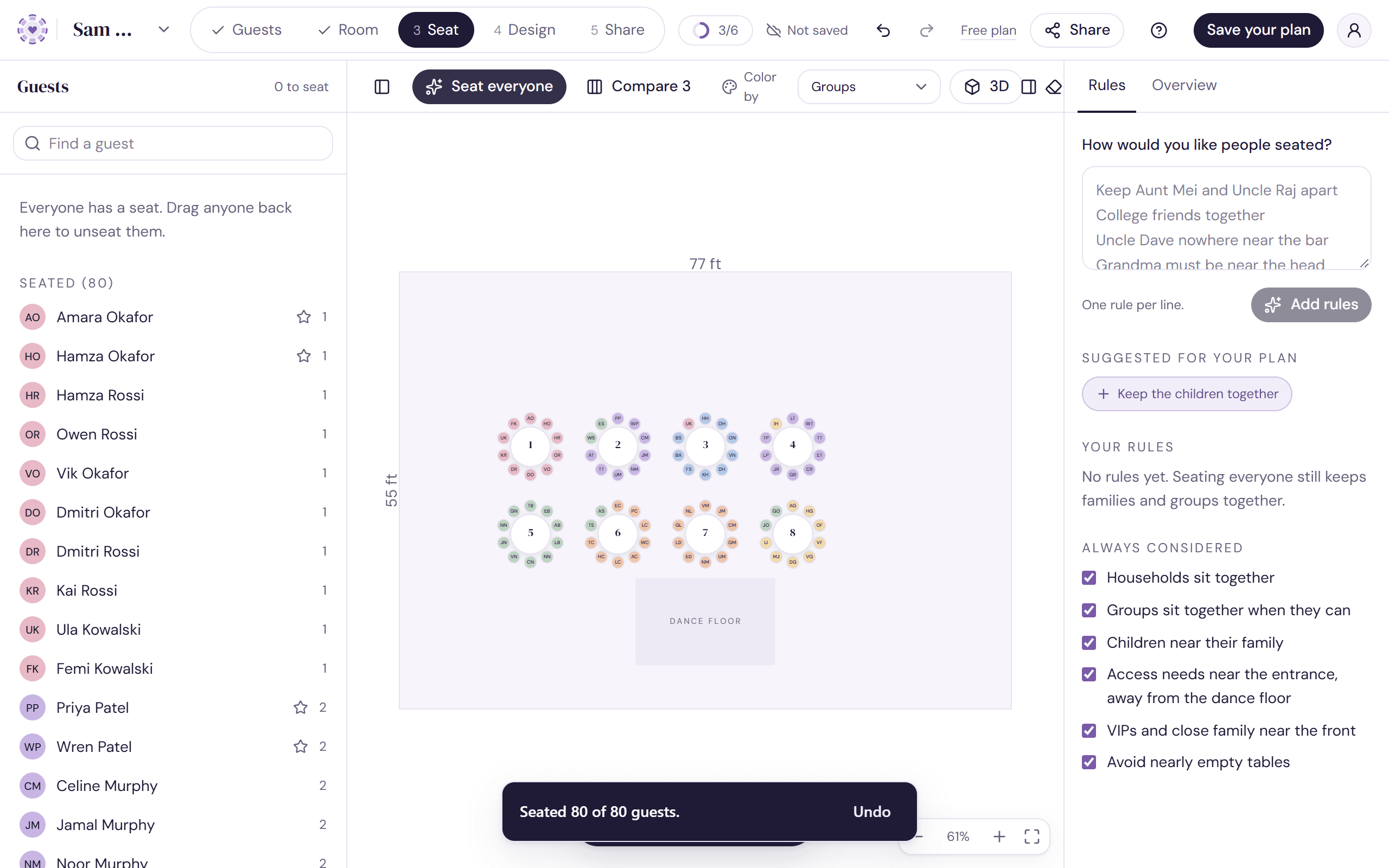
- Open Seat and click Seat everyone in the toolbar.
- Watch everyone take their seats. A short summary says how many guests were seated and whether every must was met.
- Changed your mind? Click Undo on the summary.
What it always keeps in mind
Under Always considered in the Rules tab, six preferences are on unless you turn them off:
- Households sit together
- Groups sit together when they can
- Children near their family
- Access needs near the entrance, away from the dance floor
- VIPs and close family near the front
- Avoid nearly empty tables
It also follows every rule you've added and left checked. Musts come first, and preferences are weighed against each other. See Write your seating rules and Musts and preferences.
Running it again
Each run starts fresh, so you'll get a different arrangement each time, and guests you moved by hand can move again. To keep someone where they are, lock their seat or table first. The summary tells you how many guests changed table and how many kept theirs.
To see a few options before you choose, use Compare 3 instead. See Compare three arrangements.
If it can't seat everyone
- Not enough seats: the summary says how many guests need more seats. Add a table or seats in Room.
- A must can't be met: the summary says so and the Rules tab opens to explain why. See When seating rules conflict.
- Taking a while? Click Stop and you keep the best arrangement found so far.
Try it on a sample planThe demo opens the Seat step with guests already added. Nothing you do there is saved.
Open the demoWas this helpful?