
Room
Add a dance floor, bar and more
Updated October 30, 2026
- Open Room and look under Venue in the Add to the room panel.
- Click a piece to add it in the middle of your view. Click More pieces to see everything.
- Drag it into place, and use the round handle to turn it.
- In the panel on the right, change its Type, Label, Width, Depth or Rotation, or Remove it.
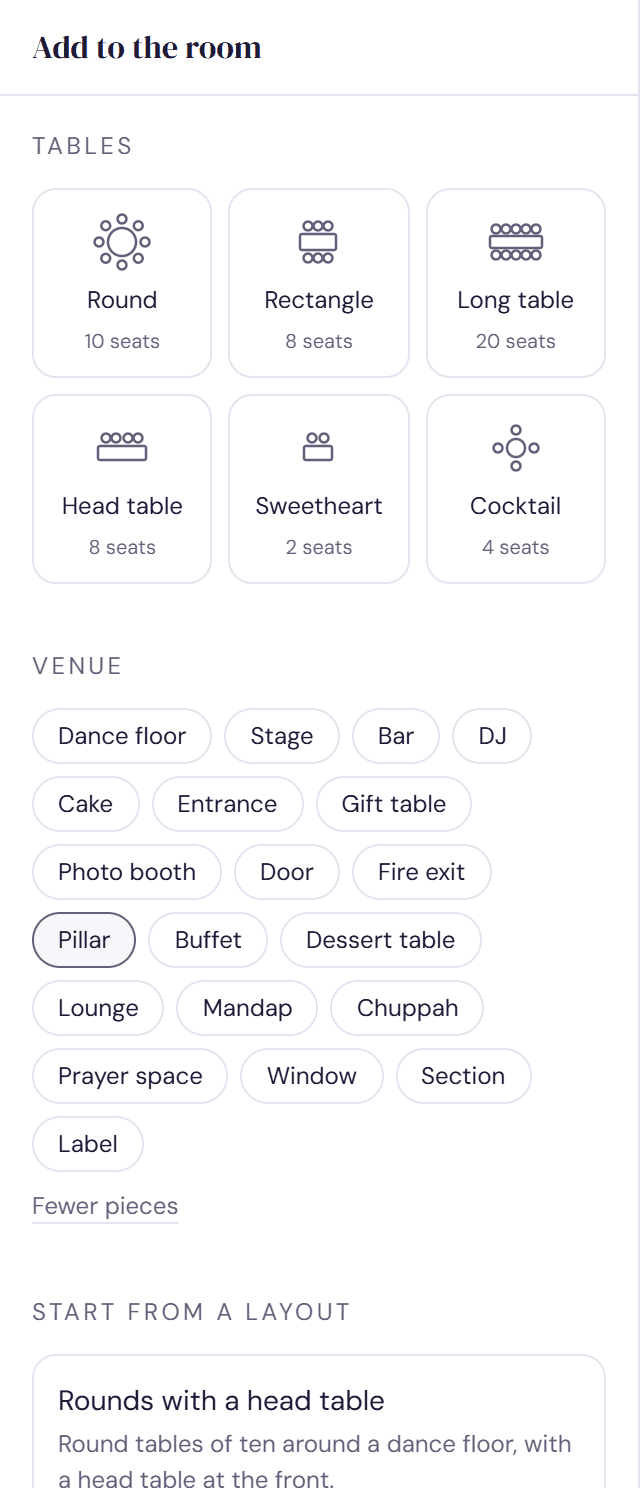
Every piece
- For the party: Dance floor, Stage, Bar, DJ, Cake, Buffet, Dessert table, Gift table, Photo booth and Lounge.
- For the ceremony and faith: Mandap, Chuppah and Prayer space.
- The building: Entrance, Door, Fire exit, Window and Pillar.
- Section: an area of the room for separate seating or a kids' corner. See Use sections for separate seating.
- Label: anything else, such as a coat check or a band.
What shows first depends on your plan. A bar or dance floor you said you won't have moves to More pieces, and the traditions you picked bring their pieces to the front.
How pieces are used
- Spacing warns when a table sits on the dance floor, stage, bar or another piece. Your head or sweetheart table is welcome on a stage or mandap.
- Doors, entrances and fire exits need about 44 inches (1.1 m) clear in front. A table blocking a fire exit is marked as a problem to fix.
- Seating rules can name the dance floor, bar, stage, entrance, head table, DJ, cake, gift table or photo booth, as in “Uncle Dave nowhere near the bar”.
- In Seat, Access needs near the entrance, away from the dance floor uses your entrance and dance floor.
- Everything appears in the 3D view.
Try it on a sample planThe demo opens the Room step with guests already added. Nothing you do there is saved.
Open the demoWas this helpful?